TL;DR
- Professional-grade 12-band parametric EQ plugin built with JUCE
- Custom IIR filter engine with per-sample coefficient smoothing
- Zero heap allocations and lock-free execution on the audio thread
- FFT-based spectrum analyzer optimized for perceptual clarity
- Fully draggable, minimizable UI with persistent layout state
- ~1–2% CPU per instance in real-world sessions
- Production-ready VST3/AAX plugin tested in Ableton, Pro Tools, Reaper, Studio One
Professional Parametric Equalizer Plugin
C++ · JUCE · Real-Time DSP · Lock-Free Architecture
Semi-Pro-Q is a professional-grade parametric EQ plugin designed around achieving a similar workflow to FabFilter Pro-Q while maintaining significantly lower CPU overhead. This involved strict real-time audio constraints, predictable performance, and modern interaction-driven workflows. The plugin implements a fully custom DSP engine, spectrum analyzer, and UI interaction framework using JUCE.
Rather than relying on JUCE’s higher-level DSP abstractions, Semi-Pro-Q reimplements core filtering and visualization systems to maintain explicit control over memory allocation, thread ownership, and execution cost.
Project Goals
- Safe to instantiate many times per project
- Responsive under continuous mouse interaction
- Visually informative without impacting audio performance
- Explicit, documented thread boundaries
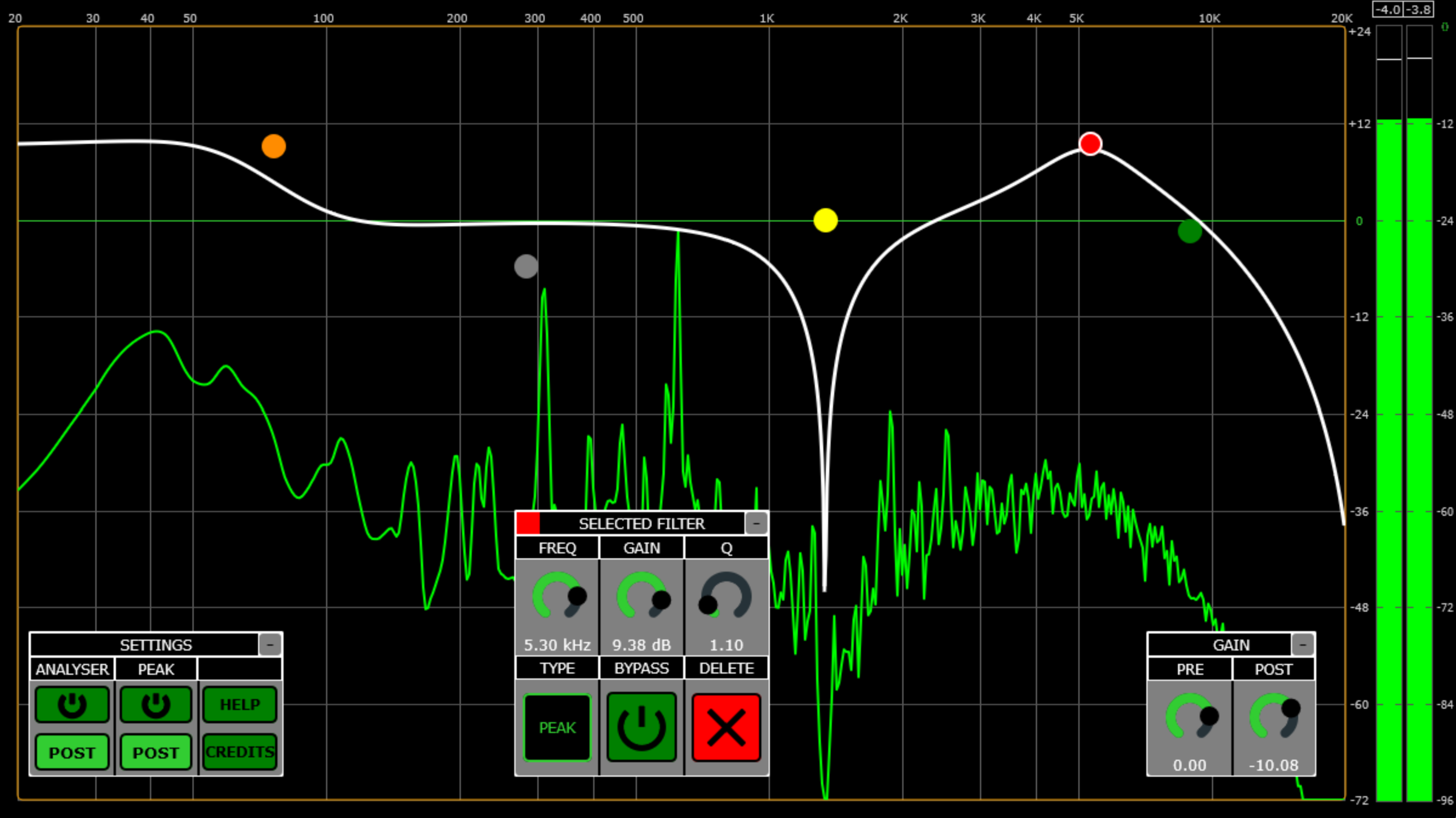
An example of the interface in use
DSP Architecture Overview
The signal chain follows a fixed, predictable layout:
Input → Pre-Gain → [12 Filters] → Post-Gain → Output
All DSP objects are created during processor construction. The audio thread performs no heap allocations, no locking, and no dynamic object creation once playback begins.
Internally, the EQ engine is split into two parallel data representations:
- FilterInfo — lightweight, atomic parameter mirrors populated from the plugin AudioProcessorValueTreeState
- SmoothFilter — fully self-contained DSP processors owning coefficients, state, and smoothing logic
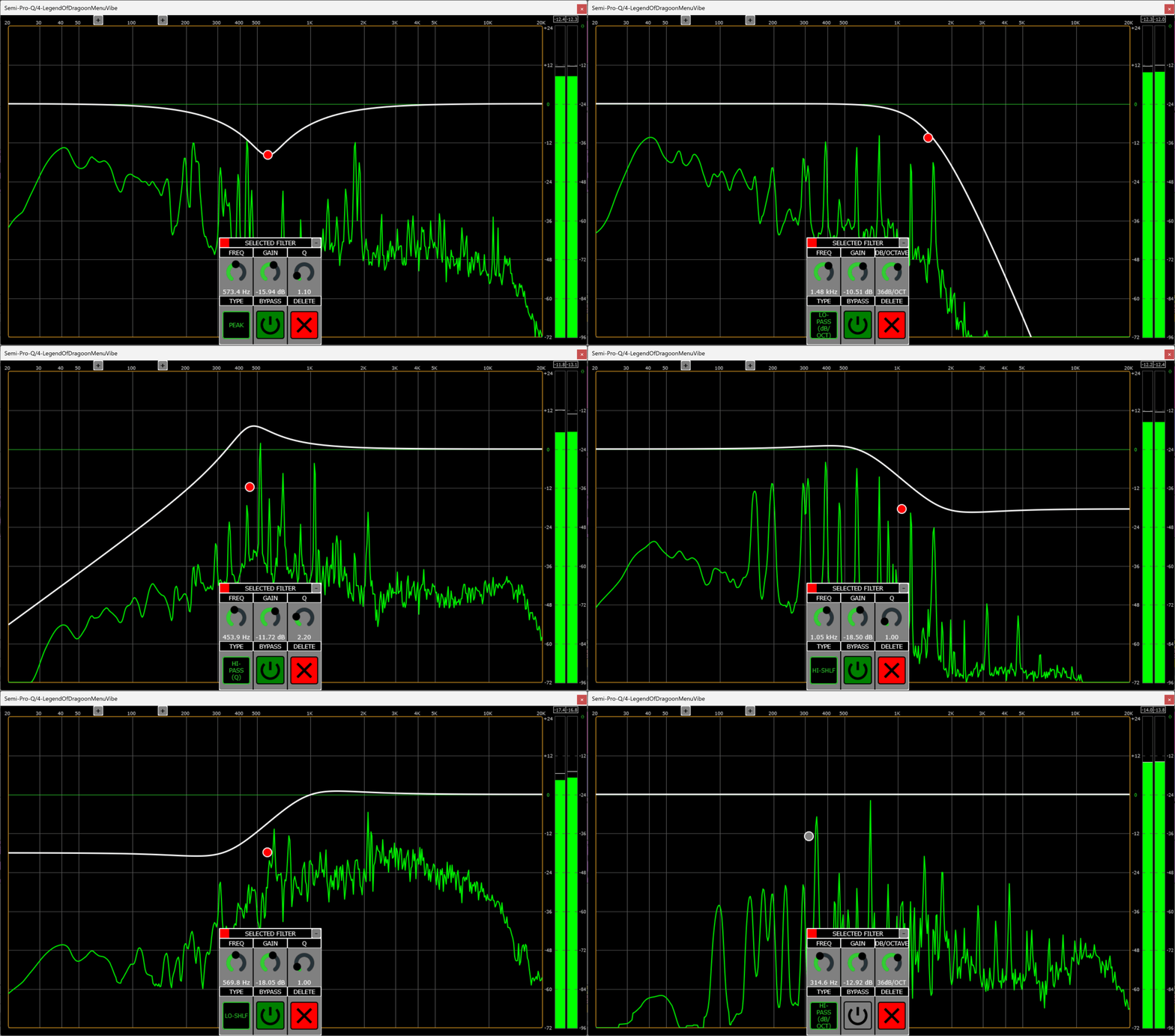
An example of each of the filter types available
Parameter Flow & Thread Ownership
JUCE parameters are intentionally not accessed directly inside the audio callback. Instead, parameter changes follow this path:
GUI → ValueTree → Message Thread → Atomic FilterInfo → Dirty Flag → Audio Thread
Each filter maintains its own dirty flag. When a parameter changes, the audio thread updates coefficients on its own schedule without blocking or synchronizing with the GUI.
This design avoids the common pitfall of GUI-driven parameter reads inside the audio callback while still allowing immediate visual feedback.
Custom Filter Engine
Each SmoothFilter is composed of four EqStage instances, with states depending on
filter type and slope. Steeper slopes (12–96 dB/oct) are achieved by cascading
multiple second-order stages.
Each EqStage encapsulates:
- Biquad coefficients
- Filter state (Direct Form II)
- Per-sample coefficient smoothing
- Internal bypass ramping
When bypassing a stage, coefficients smoothly ramp toward an identity filter rather than hard-disabling processing, preventing clicks and discontinuities.
Lock-Free GUI Coefficient Access
To draw accurate response curves without touching real-time state, the GUI reads filter coefficients through a sequence-lock (seqlock) pattern:
    Audio Thread (Writer): increment → write → increment
    GUI Thread (Reader): retry if sequence changed
The audio thread never blocks. The GUI retries reads only when a write occurs mid-read, guaranteeing consistency without locks or mutexes.
Designed for reuse, FilterInfo and SmoothFilter together provide five clear interaction paths to interact and acheive professional-grade IIR filters:
- Parameter Changes: entirely handled by the message thread and update FilterInfo
- Prepare: Reset coefficients, set number of channels to interact with, reset filter state
- Process: Internally handles channel amounts, coefficient smoothing, state reset, bypassing, and audio filtering
- GUI Read: thread safe read of current coefficient configuration
- Update Filter: Update coefficients and state based on the information in FilterInfo
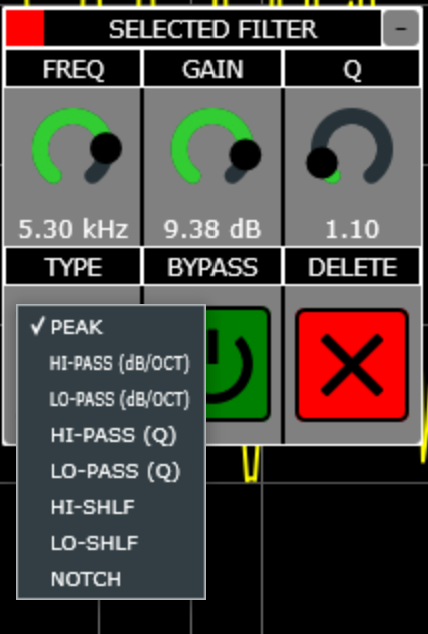
An example of the interface filter selection and the selected eq component options
Spectrum Analyzer Design
The spectrum analyzer is designed as a perceptual visualization rather than a literal measurement tool. Its purpose is to show balance, motion, and relative changes in frequency content.
FFT Strategy
- FFT size: 8192 samples
- Hop size: 2048 samples (75% overlap)
- Update rate: 30 FPS
Audio samples are copied into a lock-free FIFO on the audio thread and processed entirely on the GUI thread. Below ~1 kHz, FFT bins are interpolated using a Catmull–Rom cubic spline; above that threshold, bins are RMS-averaged per pixel region to prevent aliasing and visual flicker. All pixel values are then placed in a SmoothedValue array with variable attack and release to continuously give feedback even without a new spectrum frame update.
Musical Tilt & Scaling
A fixed 4.5 dB/octave tilt is applied to FFT magnitudes:
tilt = pow(binFreq / midFreq, tiltExponent)
This compensates for the natural roll-off of musical material and produces a more intuitive high-frequency display. FFT bin scalars are cached and recomputed only when the sample rate changes.
When paired with the plugin’s peak metering system, which includes peak hold and clipping indicators, users have access to both frequency-domain and time-domain analysis, covering the majority of practical mix and gain-staging scenarios.
UI Interaction Framework
Semi-Pro-Q’s interface emphasizes continuous interaction. Filters are created, selected, dragged, and deleted directly on the response graph.
All major panels inherit from a shared MinimizableComponent base class,
which provides:
- Click-and-drag repositioning
- One-click minimization
- Persistent size and position storage
This approach avoids duplicated logic and ensures consistent interaction behavior across the entire interface.
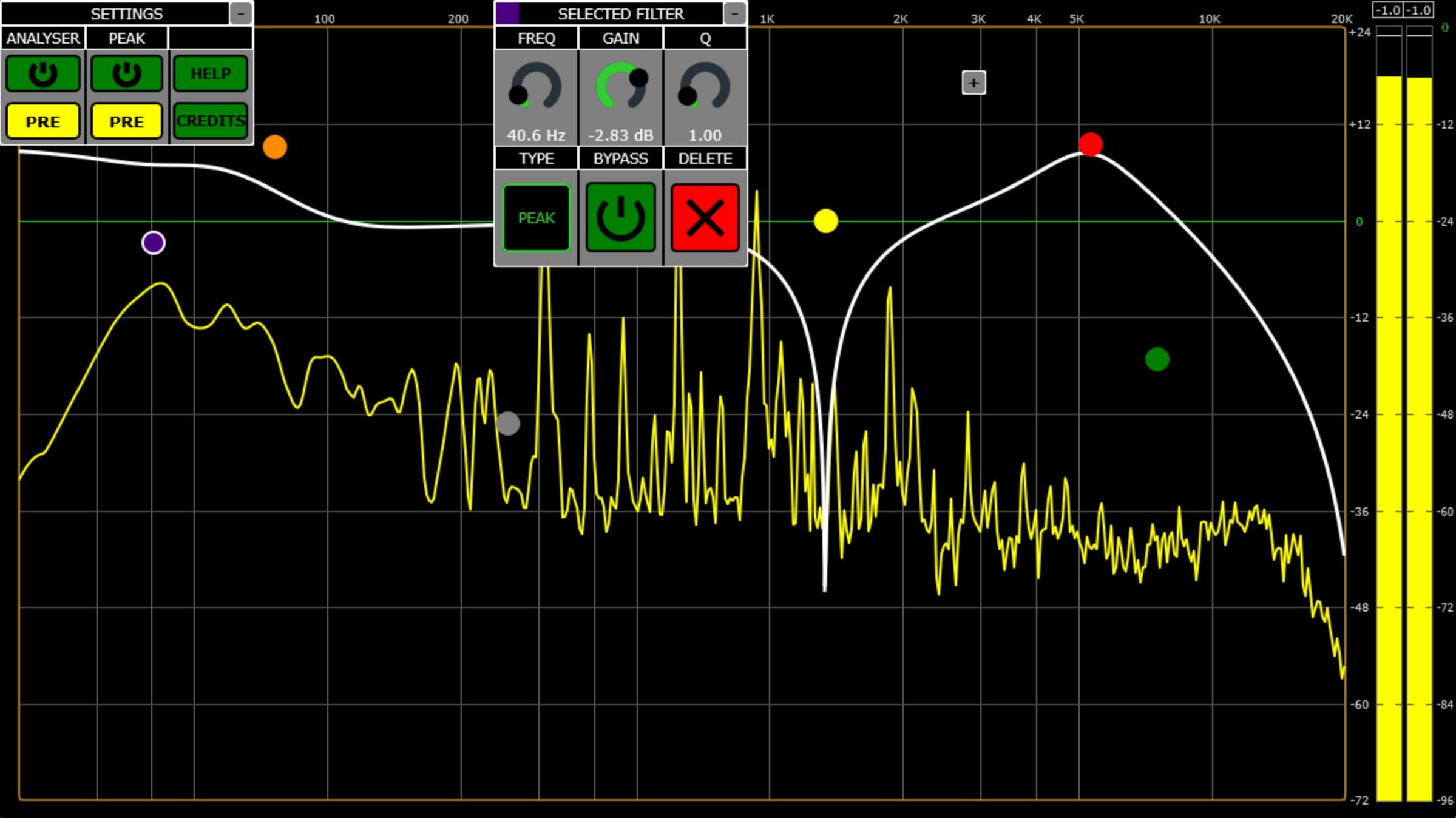
An example of the interface after some drag and minimize configurations
Performance
- Zero added latency
- No heap allocations after initialization
- Lock-free audio processing
- ~1–2% CPU per instance in typical DAW sessions
Future Work
-
SIMD optimization using JUCE’s
SIMDRegisterfor DSP and visualization paths - Additional background caching to reduce redraw overhead
- Constrained resizable UI (small / medium / large modes)
- Expanded spectrum analyzer options based on user feedback
Summary
Semi-Pro-Q is a production-ready parametric EQ built around explicit real-time guarantees. The project demonstrates custom DSP design, lock-free communication, performance-conscious visualization, and interaction-driven UI architecture suitable for professional audio tools.